
Disclosure: Some links in this article are affiliate links. If you buy through them, I may earn a commission at no extra cost to you. It never changes what I recommend — and most tools below are free to start anyway.
Every “best AI coding tools” list has the same problem: it ranks tools by how famous they are, not by what they actually cost you or whether you can code yet. A $30-a-month subscription is real money when you are learning to code, and a tool that is brilliant at autocompleting a line inside VS Code can be useless if you have never written a line at all. So this list is built the other way around — from who you are, then the price.
There are two kinds of reader here, and they need opposite tools. If you cannot code yet, you need a vibe-coding tool that turns a sentence into a working app. If you ship code every day, you need an agent that works inside your real codebase. This guide splits the list that way, and says plainly which side each tool belongs on.
How I checked the prices
I checked every price and free-tier limit below on the official pricing page (or in fresh November 2026 sources citing it) on 17 November 2026. Where two sources disagreed on a price, I say so instead of picking the nicer number. Where a tool has a catch — a retired plan, a renamed brand, a credit system that turns a $20 plan into a $100 month — it is in the section, not hidden. And where a price could not be verified, I say “check the pricing page” instead of inventing a number.
The short version: if you cannot code yet, start with Lovable free or Bolt.new free and build something real today. If you write code every day, start with GitHub Copilot Pro at $10 a month or Claude Code on Claude Pro at $20 a month. If you only pick one paid tool, make it Copilot Pro — it is the cheapest serious coding assistant in this guide, and verified students get it free. And if you would rather pay once than every month, the lifetime deals at the end — especially NoCodeBackend at $79 once — cover the backend every vibe-coded app eventually needs.
Best AI tools for coding at a glance
| Tool | Who it is for | Best for | Free version | Starting price |
|---|---|---|---|---|
| GitHub Copilot | Both | Everyday coding in your editor | Yes — 2,000 completions/mo | Pro $10/mo |
| Cursor | Pro | AI-first editing in large codebases | Yes | Plus $8/mo (Grok only) |
| Claude Code | Pro | Agentic coding in the terminal | No | Pro $20/mo ($17 annual) |
| OpenAI Codex | Pro | Delegated coding tasks in ChatGPT | Yes — limited | Plus $20/mo |
| ChatGPT | Both | Explaining, debugging, drafting code | Yes | Go $8/mo; Plus $20/mo |
| Replit | Beginner | Building and hosting apps in the browser | Yes — limited | Core $20/mo ($18 annual) |
| Devin Desktop | Pro | Agent workflows in an editor | Yes | Pro $20/mo |
| v0 | Beginner | UI-first apps and prototypes | Yes — 7 messages/day | Plus $30/user/mo |
| Bolt.new | Beginner | Full apps from a prompt, in the browser | Yes — 1M tokens/mo | Pro $25/mo ($18 annual) |
| Lovable | Beginner | Vibe-coded apps with a built-in backend | Yes — 5 credits/day | Pro $25/mo ($21 annual) |
| Amazon Q Developer | Pro | AWS teams (closing to new users) | Yes — 50 requests/mo | Pro $19/user/mo |
| Tabnine | Pro | Privacy-first teams and enterprises | No | Code Assistant $39/user/mo |
| Kiro | Pro | Spec-first agentic development | Yes — 50 credits/mo | Pro $20/mo |
How to choose by job
| Your job | Pick this first | Why |
|---|---|---|
| I cannot code yet — I want an app | Lovable or Bolt.new | Type a sentence, get a working app; free tier is enough to learn |
| I am learning Python | ChatGPT free + GitHub Copilot free | Explanations plus autocomplete while you learn the syntax |
| I code every day in a real codebase | Claude Code or Cursor | Agents that work across files, not just one line at a time |
| I work in a team on GitHub | GitHub Copilot Pro | Native GitHub integration, cheapest paid entry here |
| I build MVPs and need a backend too | Replit or Lovable + NoCodeBackend | Backend included or $79 once, no monthly database bill |
| I work in AWS all day | Kiro (not Amazon Q) | Amazon Q is closing to new sign-ups; Kiro is its replacement |
| My company will not let code leave its servers | Tabnine | Zero retention, VPC/on-premises/air-gapped deployment |
Three rules I used for every pick: (1) the free tier, if one exists, must cover real work — not a 3-day demo; (2) the price stated is the price you actually pay, with the billing term attached, because “from $25” means nothing when the plan is really a credit pool; (3) no tool here exists only to sell you something else. The lifetime deals at the end of the list are the exception that proves the rule — they are the only way to stop paying monthly for this category at all.
What you will actually pay in month 1
The headline price is not the bill. Most tools in this guide now meter usage — credits, tokens, or request quotas — on top of the subscription. Here is the honest version, per tool:
- GitHub Copilot Pro ($10/mo): completions are unlimited, but agent, chat and code review consume the included $15 of GitHub AI Credits. Heavy agent use burns through the credits and you buy more. Budget $10 if you mostly autocomplete, more if you live in agent mode.
- Cursor Premium ($30/mo): the subscription buys a usage pool, and third-party models (Claude, Gemini) are billed separately at API rates on top. The $8 Plus tier runs Grok models only — if you want Claude inside Cursor, Premium plus API billing is the real price.
- Claude Code (Pro $20/mo): a usage window that resets every 5 hours, not an unlimited tap. Heavy days hit the limit; Max ($100–$200/mo) is the next step, not a top-up.
- Replit Core ($20/mo): includes $20 of model credit, and Agent work is billed by effort on top of that. One long agent session can eat the month’s credit. This is the tool most likely to surprise you with a $100+ month — start on the free tier and watch the meter.
The rest of the tools
- v0 Plus ($30/user/mo): buys $30 of monthly credits plus $2 of free daily login credits. Every generation spends tokens, so the plan price is really a credit allowance, not unlimited building.
- Bolt.new Pro ($25/mo): buys 10M tokens a month. Unused paid tokens roll over for one extra month. A bigger app costs more tokens — the $25 tier is the floor, not the ceiling.
- Lovable Pro ($25/mo): buys 100 credits a month, and hosting, backend and in-app AI all draw from the same credit pool. Costs keep burning after launch, because your live app uses credits too.
- Kiro Pro ($20/mo): buys 1,000 credits at $0.02 each; add-on credits cost $0.04 each, double the in-plan rate. Bigger models cost more credits per request, so the same 1,000 credits buy less work on the top models.
- Tabnine ($39/user/mo): the seat price excludes model usage — Tabnine-provided models add provider rates plus a 5% handling fee. Bring your own model key and usage is unlimited, but that is a separate bill.
The pattern to remember: a “subscription” in AI coding in 2026 is usually a credit allowance with a meter running. The cheapest month is the one where you read the meter before you build.
Free tiers, side by side
| Tool | What you get free | The catch |
|---|---|---|
| GitHub Copilot | 2,000 completions/mo, limited chat/agent | Agent use is capped; students get the full Student plan free |
| Cursor | Free plan with limited agent use | Paid models (Claude, Gemini) are not in the free tier |
| Claude Code | None | Claude Code needs a paid Claude plan (Pro $20/mo) |
| OpenAI Codex | Limited Codex on Free/Go | Real access starts at Plus $20/mo |
| ChatGPT | Unlimited everyday chats, limited Codex | Strongest models and higher limits need Plus |
| Replit | Limited free tier | Free Starter plan was removed from the rate card in Sept 2026 |
| Devin Desktop | Free plan, light agent quota | Premium models need Pro $20/mo |
| v0 | Free, 7 messages/day | One real build a day at most |
| Bolt.new | 1M tokens/mo, 300K/day cap | Enough to try, not to finish a real app |
| Lovable | 5 build credits/day | Publishing and code download need Pro |
| Amazon Q Developer | 50 agentic requests/mo | Closed to new sign-ups since 15 May 2026 |
| Tabnine | None | No free tier — paid from seat one |
| Kiro | 50 credits/mo, every month | 50 credits is a taste, not a workflow |
The model inside the tool (and why it matters)
Results in AI coding depend on the model doing the work, not just the tool around it — and model access is now a strategic decision, not a detail. Cursor’s cheapest tier runs Grok models only; Claude and Gemini cost extra at API rates. Claude Code runs on Claude models. Codex runs on OpenAI models inside ChatGPT. Kiro’s free tier runs open-weight models plus Claude Sonnet, with premium models on paid tiers. GitHub Copilot picks the model for you on the free and student plans — you only choose your model on paid plans.
Two things changed recently that older guides get wrong. First, OpenAI models are leaving Cursor — do not buy Cursor expecting GPT inside it. Second, Cursor was acquired by SpaceX in August 2026 and restructured its whole price list: the old $20 Pro tier no longer exists. Any guide still listing Cursor Pro at $20 (or $16 annual) is out of date, and several page-1 articles still do.
Start here if you cannot code yet
These four tools turn a sentence into a working app. You do not need to know a programming language, and you do not need to install anything — they run in the browser. The trade-off is control: the further you get from a simple app, the more you will hit the edges of what prompting can do.
1. Lovable — best vibe-coding tool for beginners
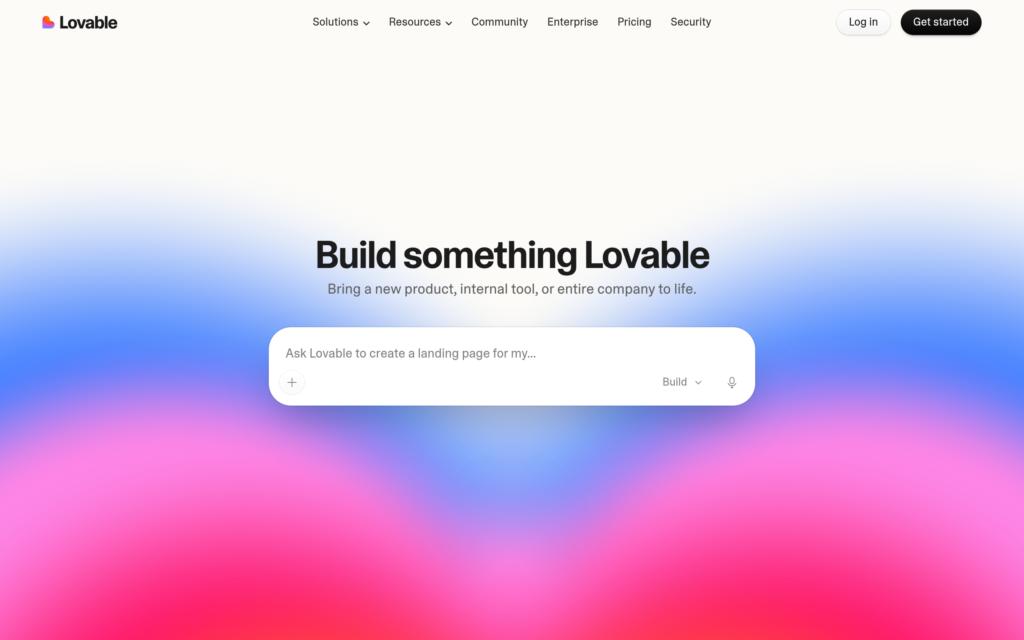
Lovable is the easiest way in this guide to go from an idea to a working app without writing code. Describe what you want in plain English, and it builds the app, the design and the backend — Lovable Cloud runs on Supabase under the hood — then publishes it on a live URL. It is the tool most beginners actually finish something with, because the loop is so short: prompt, preview, fix, publish.
The free plan gives you 5 build credits a day, which is enough to learn the workflow and ship a small project. Pro, at $25 a month ($21 billed annually), gives you 100 credits a month, custom domains, code editing and download, and removes the Lovable badge. Plans are priced per workspace, not per seat — a five-person team on Pro pays $25, not $125. Students get up to 50% off.
What I liked: the shortest path from idea to a live app in this guide, and the only beginner tool here with a real backend built in. Git sync works even on the free plan, so your code is never trapped.
The catch: credits are the whole game. Building, hosting, backend and in-app AI all draw from the same pool, so your bill keeps burning after launch. And downloading or editing your code needs Pro — on the free plan, your app lives inside Lovable.
Pricing: Free (5 build credits/day). Pro $25/month ($21 billed annually, 100 credits); Business $50/month (same 100 credits, adds SSO and governance). Student discount up to 50% off.
Best for: complete beginners who want a real, live app this weekend. Tag: Beginner.
2. Bolt.new — best vibe-coding tool for value
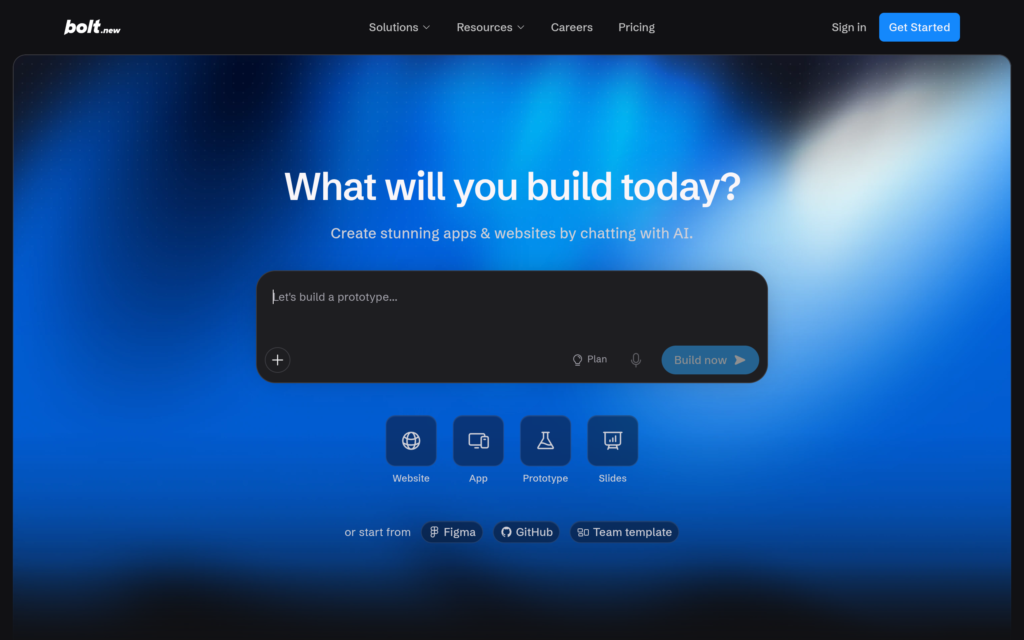
Bolt.new is StackBlitz’s browser app builder, and on paper it has the most generous free tier of the vibe-coding tools: 1 million tokens a month, capped at 300,000 a day. It builds full-stack apps in the browser using WebContainers — no install, no setup — with GitHub two-way sync and built-in hosting on a free bolt.host URL.
Pro starts at $25 a month ($18 billed annually) for 10 million tokens a month with no daily cap, and unused paid tokens roll over for one extra month. Larger token tiers go up to $1,500 a month for heavy builders. Teams is $30 per member a month.
What I liked: the free allowance is genuinely the biggest here, and the GitHub sync is two-way — changes in your repo come back into Bolt, which Lovable’s free tier does not match. Token rollover on paid plans is honest: unused tokens are not just deleted.
The catch: Bolt meters tokens, not messages, and it does not publish what a task costs in tokens — so 10 million tokens is not a fixed number of apps. Subscription fees are non-refundable, and there is no trial of the paid plans. Start monthly, not annual.
Pricing: Free (1M tokens/month, 300K/day cap). Pro from $25/month ($18 billed annually, 10M tokens); Teams from $30/member/month.
Best for: beginners who want the most free building before paying, and anyone who wants their code in GitHub from day one. Tag: Beginner.
3. v0 — best vibe-coding tool for beautiful interfaces
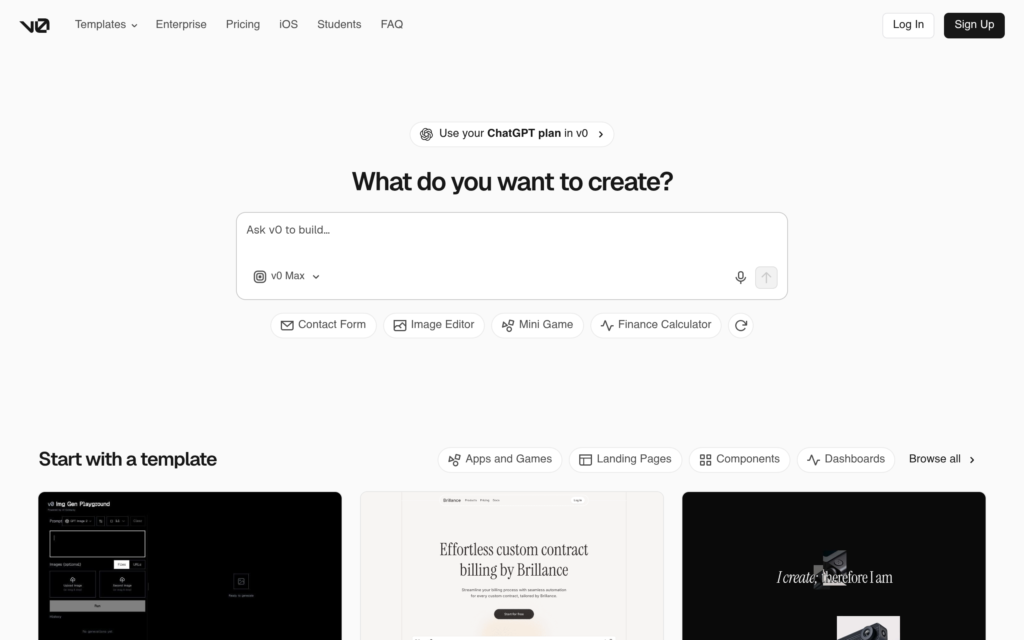
v0 is Vercel’s AI app builder, and it is the best in this guide at one specific thing: interfaces that look designed, not generated. It turns prompts into React and Tailwind components you can preview, edit visually in Design Mode, and deploy to Vercel — which makes sense, since Vercel built Next.js. If your app’s look matters, start here.
The free plan gives you 7 messages a day. Plus is $30 per user a month and includes $30 of monthly credits per user plus $2 of free daily credits when you log in, access to all models, and team sharing. Business is $100 per user a month and adds training opt-out by default. Note the rename: the old $20 Premium plan is being sunset — Plus and Business are the current paid tiers.
What I liked: the output quality. v0’s interfaces look closer to a designer’s work than any other vibe-coding tool here, and the visual editor lets you fix a layout by clicking it instead of re-prompting.
The catch: everything is credit-based, so the $30 plan is really a $30 credit allowance — heavy agent work costs more than the base plan. And v0 builds the frontend; running it on Vercel is billed separately, so budget the subscription, the credit overage and the hosting as three line items.
Pricing: Free (7 messages/day). Plus $30/user/month ($30 monthly credits + $2/day login credits); Business $100/user/month. No annual discount published.
Best for: beginners and founders whose app has to look good on day one, especially Next.js/React projects. Tag: Beginner.
4. Replit — best beginner tool that grows with you
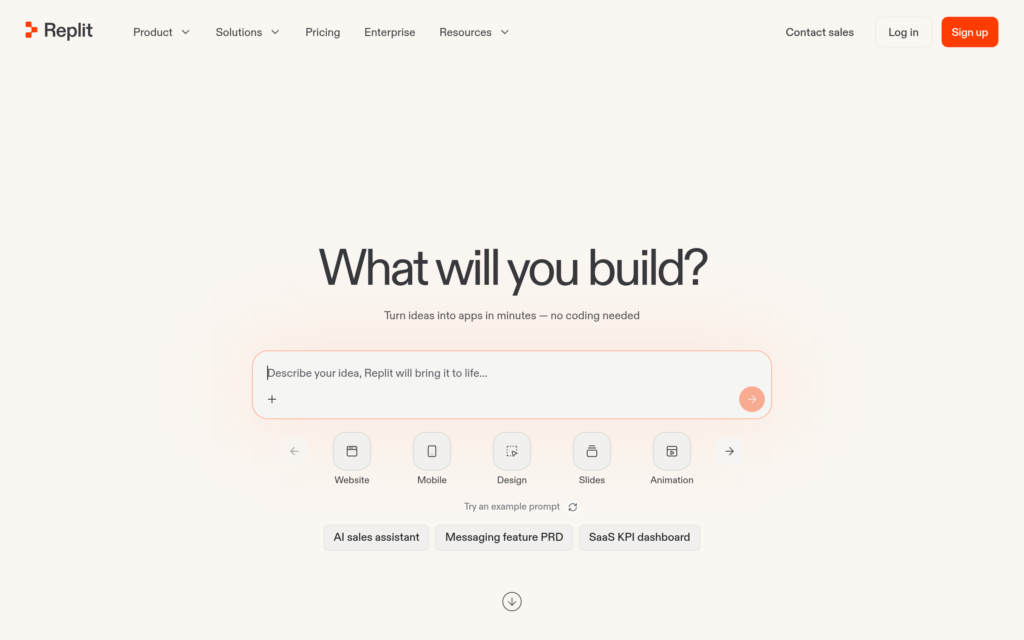
Replit is the only beginner tool here that is also a real development environment: an in-browser IDE, an AI agent that builds apps from prompts, one-click deployment, and a built-in database. You can start by describing an app and end up, months later, editing real code in the same place. That is the growth path no other vibe-coding tool offers.
Core is $20 a month ($18 billed annually) and includes $20 of model credit; Pro is $100 a month ($90 annually). The free tier is limited, and the old free Starter plan was removed from the rate card in September 2026 — do not trust guides that still list it as the free plan.
What I liked: the only tool in the beginner group that teaches you real coding as you go. The agent builds it, but the code is right there in the editor when you are ready to read it — and Replit Agent is the most capable of the vibe-coding agents at finishing a multi-step build.
The catch: the credit trap is realest here. Agent work is billed by effort on top of your included credit, and Replit is the tool most likely to turn a $20 plan into a $100+ month. Watch the meter on your first agent build, and do not leave a long agent task running unattended.
Pricing: Free (limited). Core $20/month ($18 billed annually, includes $20 model credit); Pro $100/month ($90 annual).
Best for: beginners who want to learn real coding eventually, and anyone who wants building, hosting and database in one place. Tag: Beginner.
Use every day if you ship code
These tools live inside your editor or terminal and work on your real codebase — across files, with your dependencies, your tests and your Git history. They assume you can already code. The payoff is leverage: the right tool here changes how fast a working developer ships.
5. GitHub Copilot — best all-rounder for everyday coding
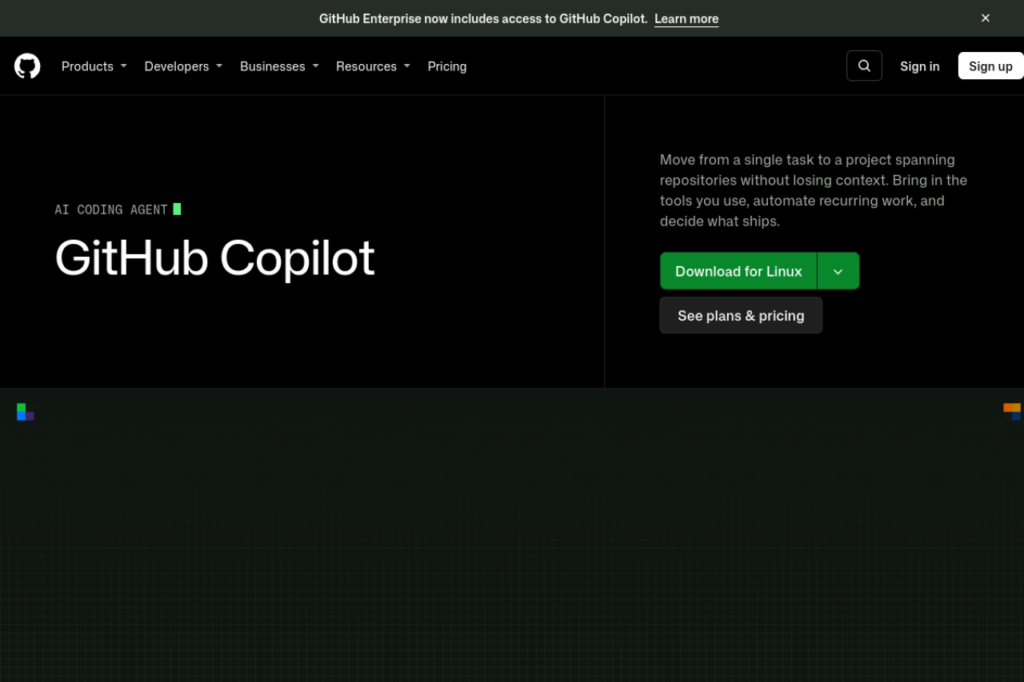
GitHub Copilot is the default AI coding assistant — it appears in all seven page-1 articles I read for this guide, and it is the only tool here that is native to GitHub itself. It autocompletes code in your editor, chats about your codebase, reviews pull requests, and now runs an agent that can take a task and open a pull request for it.
The free plan gives you 2,000 completions a month plus limited chat and agent use. Pro, at $10 a month, includes $15 of GitHub AI Credits — completions are unlimited on paid plans, but agent, chat and review consume credits. Pro+ is $39 a month ($70 of credits) and Max is $100 a month ($200 of credits). Business is $19 per user a month and Enterprise is $39.
What I liked: the cheapest serious paid tier in this guide, and the only one with a genuinely useful free plan. It works everywhere — VS Code, JetBrains, Neovim, the CLI, GitHub itself — and the GitHub integration (issues, PRs, code review) is something no standalone editor can match.
The catch: the credit system. Older guides still say Copilot Pro is “$10 a month, unlimited” — that is no longer true. Agent and chat work burns credits, and the $15 included allowance is small if you use agent mode every day. Check your credit balance before a heavy week.
Pricing: Free (2,000 completions/month). Pro $10/month ($15 AI Credits included); Pro+ $39/month ($70 credits); Max $100/month ($200 credits). Business $19/user/month; Enterprise $39/user/month.
Best for: anyone who codes in GitHub every day, and the best first paid coding assistant to buy. Tag: Both — beginners get autocomplete, pros get the agent.
6. Cursor — best AI-first code editor
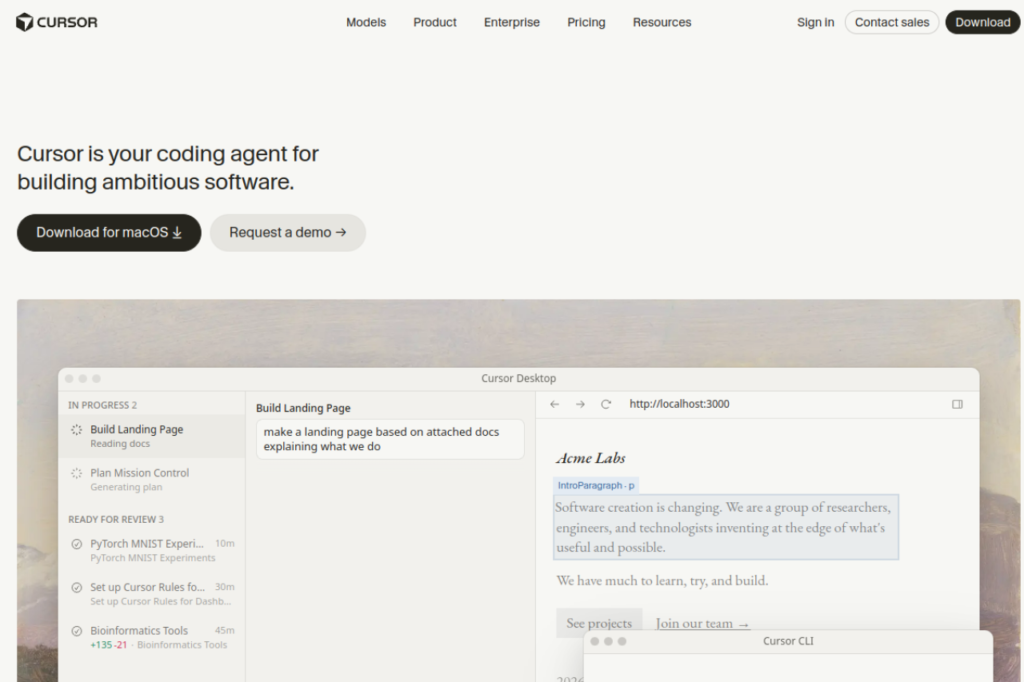
Cursor is an AI-first code editor — a fork of VS Code rebuilt around the agent. Instead of a chatbot bolted onto an editor, the editor is built for the agent: it reads your whole codebase, plans multi-file changes, and edits across files in one pass. For large codebases, that difference is the whole product.
The pricing changed completely in 2026, so ignore older guides. Free is $0. Plus is $8 a month but runs Grok models only. Premium is $30 a month. Super is $100 and Ultra is $200. The trap: third-party models (Claude, Gemini) are billed separately at API rates — they are NOT included in the subscription. If you want Claude inside Cursor, Premium plus API billing is the real price.
What I liked: the best multi-file editing experience in this guide. Cursor’s agent holds the whole codebase in context better than a chat panel ever will, and the VS Code compatibility means your extensions and keybindings just work.
The catch: the model billing. The $8 Plus tier looks cheap until you realise the models most developers actually want cost extra. And OpenAI models are leaving Cursor, so do not buy it for GPT access. Read the pricing page, not a six-month-old roundup.
Pricing: Free. Plus $8/month (Grok models only); Premium $30/month; Super $100/month; Ultra $200/month. Claude/Gemini billed separately at API rates. Teams from $30/user/month.
Best for: professional developers working in large codebases who want the agent inside the editor, not beside it. Tag: Pro.
7. Claude Code — best agentic coding assistant for pros
Claude Code is Anthropic’s terminal agent, and it is the tool professional developers now reach for first when a task spans many files: it reads your repo, plans the change, writes the code, runs the tests, and iterates until the tests pass. It lives in your terminal and in your IDE, and it is included in every paid Claude plan — there is no separate Claude Code subscription to buy.
The honest price is Claude Pro at $20 a month ($17 billed annually), which includes Claude Code with a usage window that resets every 5 hours. Max starts at $100 a month for all-day work, and Ultra is $200 a month. There is no free tier for Claude Code — the free Claude plan does not include it.
What I liked: the strongest agent in this guide at finishing a real task without hand-holding. It follows detailed instructions, respects the structure of your project, and its plan-then-execute loop means fewer half-finished changes than the chat-style tools produce.
The catch: the 5-hour usage window. On a heavy day you will hit the limit mid-task, and the only fix is a bigger plan. It is also terminal-first — if you have never used a terminal, start with Copilot or Cursor instead.
Pricing: No free tier for Claude Code. Pro $20/month ($17 billed annually); Max from $100/month; Ultra $200/month. Claude Code included in all paid plans.
Best for: professional developers who want an agent that finishes multi-file tasks in the terminal. Tag: Pro.
8. OpenAI Codex — best delegated coding inside ChatGPT
Codex is OpenAI’s coding agent, and it lives inside ChatGPT — on the web, in the CLI, in your IDE and on iOS. You hand it a task (fix this bug, add this feature, review this PR), it works in the background, and you come back to a finished change. It is the delegated-work model: you describe the outcome, Codex does the job.
Access follows your ChatGPT plan. Free includes limited Codex; Go ($8 a month) adds a little more; Plus ($20 a month) is the real entry point, with Codex on web, CLI, IDE and iOS. Pro now comes in three tiers — $100, $200 and $500 a month — not the flat $200 older guides still quote. Each Pro tier also includes matching API credits ($100/$200/$500 a month for eligible accounts).
What I liked: the delegation model is genuinely different from autocomplete — Codex takes a task and returns finished work, including tests. If you already pay for ChatGPT Plus, Codex costs you nothing extra, which makes it the cheapest serious agent for Plus subscribers.
The catch: the Pro tiers are expensive and the allowances changed twice in autumn 2026, so older guides disagree with each other. And Codex is at its best on well-specified tasks — vague briefs get vague code, same as everywhere else.
Pricing: Free (limited Codex). Go $8/month; Plus $20/month; Pro $100/$200/$500 per month (monthly only, no annual billing). Codex included in ChatGPT plans.
Best for: ChatGPT Plus subscribers who want an agent that takes whole tasks, and teams already living in OpenAI’s tools. Tag: Pro.
9. ChatGPT — best AI tool for explaining and debugging code
ChatGPT is not a code editor, and that is exactly why it belongs in this list. It is the tool you turn to when you do not understand the code in front of you: explain this function, why does this error happen, how do I do X in Python, write me a script that does Y. For learning and debugging, no editor-integrated tool matches it — because the job here is understanding, not typing.
Free includes unlimited everyday text chats with limited Codex, uploads and image generation. Go is $8 a month. Plus is $20 a month and adds the stronger models, Codex, deep research and higher limits. Pro is $100, $200 or $500 a month. Note: Go may show ads, and all three Pro tiers are monthly-only — there is no annual billing for Go, Plus or Pro.
What I liked: the most forgiving coding helper for beginners. It explains before it writes, it recovers well from a vague question, and it is the only tool here that is equally good at teaching a concept and writing the code for it.
The catch: it invents APIs, functions and library behaviour with total confidence. Never paste its code into a project without running it — and never trust a library function it names without checking the real documentation. The free tier’s limits will also bite you the night before a deadline.
Pricing: Free. Go $8/month; Plus $20/month; Pro $100/$200/$500 per month.
Best for: learning to code, debugging, and explaining code you did not write. Tag: Both — the best first tool for beginners, and every pro’s second tool.
10. Devin Desktop (formerly Windsurf) — best agent editor for review-first teams
Devin Desktop is the new name for Windsurf — Cognition renamed it on 2 June 2026, and the old Windsurf name now redirects to Devin. If you search for “Windsurf pricing” you will land on Devin’s pricing page, and several page-1 articles still call it Windsurf. It is an AI code editor with a local agent, tab autocomplete, and an Agent Command Center for running local and cloud agents side by side.
The key design choice: the local agent holds every edit until you approve it. That review-first loop is the reason teams that distrust fully autonomous agents pick it. Free costs $0 with a light agent quota and unlimited tab completions. Pro is $20 a month with a daily and weekly usage quota, full model availability (frontier models from OpenAI, Claude, Gemini and others), and Devin Cloud agents. Max is $200 a month. Teams starts at $80 a month plus $40 per full developer seat. Existing Windsurf Pro subscribers at $15 a month are grandfathered at that price indefinitely.
What I liked: the approval loop. Every agent edit waits for you, which means no surprise rewrites in your codebase — and for a team, that is worth more than a slightly faster agent. The multi-agent board is genuinely useful when three tasks are running at once.
The catch: usage past the quota is billed at API prices, so the plan price is not the whole cost. And the rename has left a trail of confused guides — if an article still calls it Windsurf and quotes $15 a month, it is describing the grandfathered price, not the price you will pay.
The price
Pricing: Free. Pro $20/month; Max $200/month; Teams from $80/month + $40/full seat. Extra usage at API pricing.
Best for: professional developers and teams who want agent speed with a human approval step on every edit. Tag: Pro.
11. Kiro — best spec-first coding agent
Kiro is AWS’s agentic IDE, built around one idea the other tools skip: think before you code. You describe a feature, Kiro writes the requirements, a technical design and a task list — spec-driven development — and then its agents implement the tasks one by one. For bigger features, that upfront thinking is the difference between a clean implementation and a week of rework.
Pricing is the most literal in this guide: every paid tier costs $0.02 per credit, so the price scales in a straight line with the credit pool. Free is $0 for 50 credits a month, every month. Pro is $20 a month for 1,000 credits, Pro+ is $40 for 2,000, Pro Max is $100 for 5,000, and Power is $200 for 10,000. Add-on credits cost $0.04 each — double the in-plan rate — and bigger models cost more credits per request. Students at select universities get 1,000 credits a month free for one year.
What I liked: the spec-first workflow is genuinely different, and it shows on bigger features — the design document catches misunderstandings before any code exists. The pricing is also the most transparent here: $0.02 a credit at every tier, no hidden ladder.
The catch: 50 free credits is a taste, not a workflow — a single spec-heavy feature can eat it. And the credit multipliers mean the same 1,000 credits buy much less work on the top models, so the headline $20 is not a fixed amount of building.
Pricing: Free (50 credits/month). Pro $20/month (1,000 credits); Pro+ $40/month (2,000); Pro Max $100/month (5,000); Power $200/month (10,000). Add-on credits $0.04 each. Students: 1,000 credits/month free for one year at select universities.
Best for: professional developers building bigger features where a written spec first saves rework later. Tag: Pro.
12. Amazon Q Developer — best for AWS teams (but read the warning first)
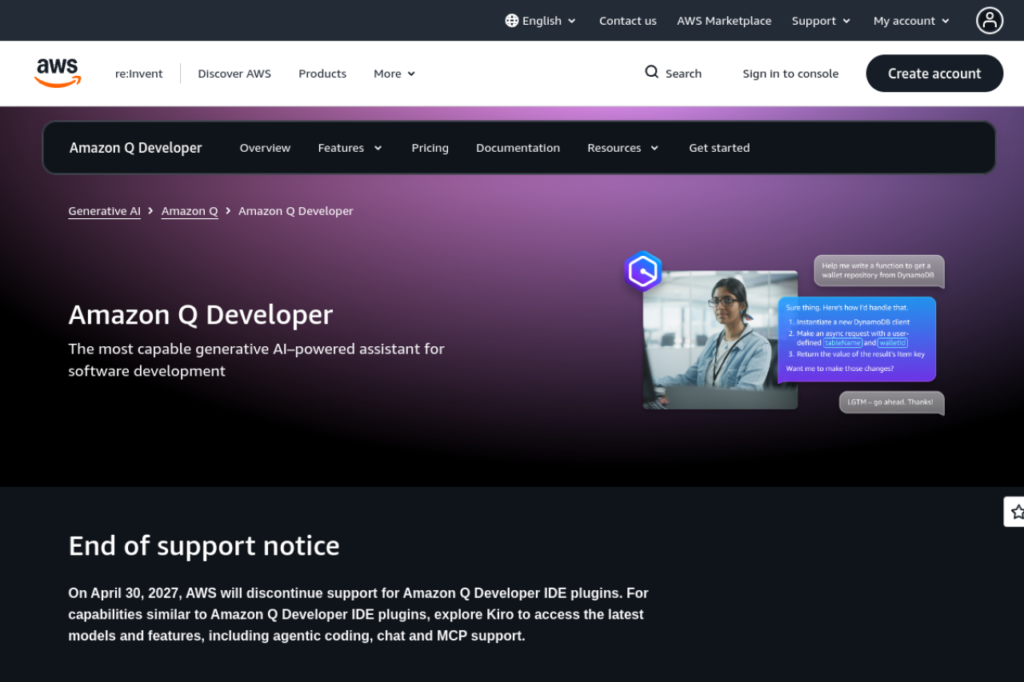
Amazon Q Developer is AWS’s coding assistant: deep integration with AWS services, code suggestions and agents inside your IDE and CLI, and the compliance certifications (SOC 1/2/3) that enterprise AWS teams need. For a team that lives in AWS, the integration is the product.
But there is a warning no other article in the top results leads with: AWS closed new Amazon Q Developer sign-ups on 15 May 2026, and the IDE plugins and paid subscriptions reach end of support on 30 April 2027. Kiro is the named replacement. If you are not already a subscriber, you cannot buy this tool — start with Kiro (section 11) instead. I include it here because older guides still recommend it without mentioning the closure, and you deserve to know before you plan around it.
For existing subscribers: the free tier gives 50 agentic requests a month, and Pro is $19 per user a month with about 1,000 agentic requests and 4,000 lines of code transformation a month, plus IP indemnity.
What I liked: for existing AWS teams, the AWS-native integration and predictable per-seat price are still good — and the Pro tier’s automatic data-retention opt-out is the right default.
The catch: it is a closing product. New users cannot sign up, support ends 30 April 2027, and every guide that lists it as a live recommendation without the date is out of date.
Pricing: Free (50 agentic requests/month). Pro $19/user/month. Closed to new sign-ups since 15 May 2026; end of support 30 April 2027.
Best for: existing AWS subscribers only — everyone else should pick Kiro. Tag: Pro (existing users only).
13. Tabnine — best coding assistant for privacy-first teams
Tabnine is the privacy-first pick: the only mainstream coding tool in this guide that bundles zero code retention, a license-safe in-house model, IP liability controls and a genuinely air-gapped deployment into one purchase. It runs as SaaS, in your VPC, on-premises, or fully air-gapped. If your company cannot let code leave its servers — GDPR, HIPAA, defence, finance — this is the tool built for that constraint.
That focus costs money. There is no free tier — Tabnine retired it — and the two plans are both billed annually: Code Assistant at $39 per user a month (completions, chat, Jira, flexible deployment, compliance certifications) and the Agentic Platform at $59 per user a month (adds agents, the CLI, the Context Engine and MCP governance). Tabnine-provided model access adds token charges at provider rates plus a 5% handling fee; bring your own model and usage is unlimited. One caution: the pricing page now routes to a sales quote form, so confirm the price with sales before you budget it.
What I liked: the trust stack is real, not a marketing line — zero retention, air-gapped deployment, SOC 2 / ISO 27001 / GDPR. For a regulated team, that is the whole decision.
The catch: $39–$59 per user a month with no free tier, mandatory annual billing, and completion quality a notch below Copilot and Cursor. Solo developers are no longer the audience — Tabnine is now a team and enterprise product, and the price says so.
What it costs
Pricing: No free tier. Code Assistant $39/user/month (annual); Agentic Platform $59/user/month (annual). Model usage extra at provider rates + 5% unless you bring your own model. Confirm with sales — the pricing page now leads to a quote form.
Best for: teams and enterprises where code privacy and compliance decide the purchase. Tag: Pro.
Pay once, not monthly: 5 lifetime deals for coders
No page-1 competitor covers this at all — and it is the cheapest way to own the tools around your coding workflow instead of renting them. All five deals below are live on AppSumo, with the affiliate link for each. Prices and ratings were checked against the 11 November sheet export and re-checked against fresh November 2026 sources; where a figure could not be re-verified live, the section says so.
Headroom — cut your Claude Code and Codex token bill
Headroom is a small menu-bar app that compresses the noisy logs and tool output your coding agent sends to the model, on your own machine — so the same Claude Pro or ChatGPT Plus plan lasts longer. It sits between Claude Code or Codex and the model provider, and the vendor claims up to ~50% fewer tokens per session.
Two honest flags. First, the price: the entry tier is a $0 limited licence, and the paid lifetime tiers were $29/$99/$199 in the 11 November sheet export — but reviews checked 15–16 November list $34/$109/$199, and the deal is listed as ending 26 November 2026. Re-verify the live price before you buy. Second, the savings are the app’s own estimates: independent users measured anywhere from about 2% to 39% fewer prompt tokens, and the core engine is a free open-source proxy — you are paying for the installer, the dashboard and auto-updates, not for exclusive technology. The rating is 4.85/5 from 34 reviews in the sheet export (newer reviews show 4.87 from 39 — also not re-verified live today).
Pricing: Entry tier $0 (limited licence). Paid lifetime tiers $29/$99/$199 per the sheet export — conflicting sources list $34/$109/$199. 60-day refund. Deal ends 26 November 2026 per AppSumo.
Best for: anyone who hits Claude Code or Codex usage limits every week. Tag: Pro.
Vibe App Scanner — scan your vibe-coded app before you ship it
Vibe App Scanner is the security check for apps built with Lovable, Bolt.new, v0 and Replit: it scans your code for vulnerabilities — exposed API keys, SQL injection, XSS, bad security headers — and hands the findings to your AI agent to fix. If you ship vibe-coded apps, this is the step between “it works” and “it is safe to put online”.
The catch is the tier. Tier 1 is $49 once for 3 scans a month across 3 websites, and MCP server access — the feature that lets your agent fix findings directly — only starts at Tier 2 ($119). If you ship apps regularly, Tier 1 is too small; buy Tier 2 or skip it. Price confirmed by multiple November 2026 sources; the rating (4.71/5, 7 reviews) is a sheet figure and was not re-verified live today. This deal ends 19 November 2026 — two days from this article’s date.
Pricing: $49 once (Tier 1, 3 scans/month, 3 websites); Tier 2 $119; Tier 3 $249. 60-day refund. Ends 19 November 2026.
Best for: vibe coders who ship apps to real users. Tag: Beginner.
NoCodeBackend — the backend your vibe-coded app is missing
NoCodeBackend is a managed database with instant REST APIs, user login and an MCP server for your AI coding tools — the backend layer that Lovable, Bolt.new and Cursor apps all need eventually, without setting up Supabase or Firebase yourself. Connect it, and your app gets a database, an API and authentication in minutes.
Read the tier table before you buy: Tier 1 at $79 once gives you 2 databases with 25,000 records each — but no user login and no MCP, which are the two things most app builders need. Tier 2 at $169 is the real starting tier, with 6 databases, user login, MCP, file storage and webhooks. One more honest note: in September 2026 a buyer reported a security flaw that exposed database secret keys. It was patched the same day, but the vendor did not force a key reset — regenerate your keys if you buy, and do not store health, finance or enterprise client data here. There is no SOC 2 or ISO 27001 yet.
Pricing: $79 once (Tier 1); Tier 2 $169; higher tiers to $699. 4.76/5 from 137 reviews on AppSumo. 60-day refund. No end date shown.
Best for: vibe coders and indie hackers who need a backend without learning backend development. Tag: Beginner.
Editor.do — build and host static sites from your browser
Editor.do is an online IDE and host for building, coding and deploying static websites from 1,000+ templates, with domain management and SSL included. One payment of $49 once replaces a listed $25-a-month subscription, and higher tiers stack up to $147 for up to 100 websites.
The honest warning: verified AppSumo reviewers report the product has not been updated in over two years, the advertised AI assistant does not work, support rarely responds, and a known bug can crash the editor when saving Markdown files. This is an abandonment-prone deal — buy it only if the current feature set, as it stands today, is enough for you, and test it inside the 60-day refund window.
Pricing: $49 once (Starter tier); up to $147 for Elite. 4.18/5 from 39 reviews on AppSumo. 60-day refund.
Best for: developers who want a cheap static-site host and editor and can live with no updates. Tag: Both.
DivMagic — turn any web design into code
DivMagic is a Chrome and Firefox extension that copies any web element into HTML, CSS, React, JSX or Tailwind code with one click — the fastest way to rebuild a design you like as real, editable code. One code costs $49 once against a listed $300 a year, with lifetime updates included.
The honest warning: verified AppSumo reviewers report the core 1:1 copying frequently fails on real sites — colours snap to the nearest Tailwind palette value instead of the true hex code, and responsive breakpoints are inconsistently captured, so mobile layouts often need manual rework. Test it on your own target sites inside the 60-day refund window before you rely on it.
Pricing: $49 once (single tier, not stackable). 4.46/5 from 41 reviews on AppSumo. 60-day refund.
Best for: web developers who rebuild designs as code every week. Tag: Pro.
The free stack: $0 a month, honestly good
If your budget is zero, this is the stack: ChatGPT free for explaining and debugging, GitHub Copilot free for autocomplete (2,000 completions a month), Lovable free for building your first app (5 credits a day), and Kiro free for trying spec-driven development (50 credits a month). That is four real tools, no card required, and it covers learning, building and shipping.
The honest limit: free tiers cap usage, and the cap always bites on the project you care about most. The first money you spend should go to Copilot Pro at $10 a month — the cheapest paid step in this guide — or to Lovable Pro at $25 a month if you are building apps rather than writing code.
Students and India: what you actually pay
Verified students get GitHub Copilot free through the GitHub Student Developer Pack — the Copilot Student plan, with unlimited completions and an AI Credits allowance, for as long as you are a verified student (eligibility is re-checked every month). Kiro gives students at select universities 1,000 credits a month free for one year — the same allowance as the $20 Pro plan. Lovable offers students up to 50% off. v0 has a students page too — check it before you pay.
On India pricing: none of the vendors in this guide publishes an India-specific list price I could verify today. The prices above are US list prices in dollars; checkout may localise by country and tax, so confirm the price at checkout. The free tiers and student routes above are the same worldwide, and they are the honest starting point if the dollar prices sting.
Privacy: does the tool train on your code?
This is the question most roundups skip, and the one that matters most once you paste proprietary code into a tool. What I could verify:
- Tabnine: zero code retention, with SaaS, VPC, on-premises and air-gapped deployment. The strongest privacy story in this guide.
- Amazon Q Developer Pro: automatic data-retention opt-out, plus IP indemnity.
- v0 Business: training opt-out by default (Plus does not list it — check before you paste client code on Plus).
- GitHub Copilot, Cursor, Claude Code, Codex, Kiro, Replit, Lovable, Bolt.new: each vendor publishes its own data policy, and the terms differ by plan — free tiers and paid tiers do not always get the same treatment. I did not verify a per-plan training claim for each of these, so I will not state one here. Before you paste proprietary or client code into any of them, open the vendor’s data policy for your exact plan and check two lines: does it train on your code, and where does your code go. That five-minute check is worth more than any summary in a roundup.
How I picked these — and what I did not do
I checked every price and free-tier limit on the official pricing page (or in fresh November 2026 sources citing it) on 17 November 2026, and I read all seven page-1 articles for this keyword in full. I did not run a controlled hands-on benchmark of all thirteen tools with a shared test task and scored outputs — no page-1 article has done that either, and I would rather say so than pretend. What this guide does instead: accurate November 2026 prices (several rivals still list retired plans and renamed brands), honest cons per tool, the true monthly cost behind the headline price, and the lifetime-deal angle none of the top seven articles cover at all.
Frequently asked questions
What are the best AI coding tools?
Beginners who cannot code yet: Lovable, Bolt.new, v0 and Replit. For professional developers: GitHub Copilot, Cursor, Claude Code and OpenAI Codex. For everyone: ChatGPT for explaining and debugging. The best tool depends on whether you need an app built from a sentence or an agent working inside a real codebase.
What AI is better than ChatGPT?
Inside your editor, GitHub Copilot and Cursor are better than ChatGPT — they work where the code lives. For agentic work across many files, Claude Code is better. For research-led work, ChatGPT itself is still the best all-rounder. “Better” depends on the job, not the brand.
Which ChatGPT is best for coding?
ChatGPT Plus at $20 a month is the best ChatGPT plan for coding for most people — it includes Codex on web, CLI, IDE and iOS, plus the stronger models. Free includes limited Codex, and Go at $8 a month adds a little more. Pro ($100/$200/$500 a month) is only worth it if you use Codex heavily every day.
What are the 5 best AI tools?
The five best AI tools for coding, by consensus across every page-1 article: GitHub Copilot, Cursor, Claude Code, OpenAI Codex and Replit. Add ChatGPT for explaining and debugging, and you have the six tools that cover every coding job in this guide.
Is there a truly free AI coding tool?
Yes — GitHub Copilot free gives you 2,000 completions a month, ChatGPT free explains and debugs code with no card, and Lovable free gives you 5 build credits a day. Verified students get Copilot free without the cap through the GitHub Student Developer Pack. No paid tool here is free forever at full power, but the free tiers above cover real work.
What is the best AI tool for vibe coding?
Lovable, for the shortest path from an idea to a live app with a backend built in. Bolt.new if you want the most generous free tier and two-way GitHub sync. v0 if the interface has to look designed. Replit if you want to learn real coding as you go. Start free on all four and keep the one whose apps you actually finish.
What is the best AI tool for Python coding?
ChatGPT free for learning Python and debugging errors, plus GitHub Copilot free for autocomplete while you type. Once you code daily, Claude Code on Claude Pro ($20 a month) is the strongest agent for Python projects — it reads the whole project, writes tests and iterates until they pass.
Is Claude Code better than Codex?
For multi-file work in the terminal, Claude Code is the stronger agent — it plans, executes and iterates until tests pass. Codex is better if you want to delegate whole tasks from inside ChatGPT and come back to finished work, especially if you already pay for ChatGPT Plus. Neither replaces the other; the best setup for many developers is Claude Code for deep work and Codex for delegated tasks.
Do AI coding tools replace developers?
No — and the evidence says so. One trial cited in the top-ranking articles found experienced developers were slower on familiar code when using AI tools, and fewer than half of merged agent pull requests had a human reviewer. The tools are best at boilerplate, first drafts and well-specified tasks. Reviewing, testing and understanding the code is still your job — and the tools that skip that step are the ones that ship bugs.
Verdict: the best AI tools for coding for most buyers
Start free: ChatGPT, GitHub Copilot free and Lovable free cost nothing and cover explaining, autocomplete and building your first app. When you are ready to pay, spend the first $10 on Copilot Pro — or $20 on Claude Pro for Claude Code if you work in the terminal. If you cannot code yet, spend the first $25 on Lovable Pro. And if you would rather pay once, NoCodeBackend at $79 once is the deal that ends the monthly backend bill for every app you vibe-code. The tool matters less than the habit: let the AI draft, read every line it writes, run the tests, and never ship code you do not understand.
If you are choosing tools for a small business rather than just coding, the broader guide is Best AI Tools for Small Business — and if you are a student, Best AI Tools for Students covers the free tiers in more depth, including GitHub Copilot free for students. For the lifetime deals in this guide and dozens more, see Best AppSumo Lifetime Deals. And if you write as well as code, Best AI Writing Tools covers the writing side with the same honest pricing.
Last checked: 17 November 2026. Prices and free-tier limits change — verify on the official pricing page before you pay.