

Some links in this article are affiliate links. If you buy through them, I may earn a commission at no extra cost to you. It keeps the testing — and the site — going.
A blank slide deck is the worst place to start a presentation. You know what you want to say, but the layout, the fonts, the charts and the colour scheme eat the whole afternoon before you have written a single real slide. That is the exact job the best AI tools to create PPT decks are built for.
AI presentation tools fix the slow part. You give them a prompt, a document or a rough outline, and they return a full deck — structured, designed and editable — in minutes. The catch is that they are not all the same tool. Some build beautiful web decks that fall apart when you export them to PowerPoint. Some live inside PowerPoint itself. And one famous name on every 2026 list stopped selling presentations months ago.
I compared the tools that matter in November 2026 — the ones real people actually use for work decks, pitch decks and class presentations — and this article gives you the short answer first, then the detail. If you only have two minutes, read the Top Picks and the Quick View table. If you want the full picture, keep scrolling.
In short, these are the best AI tools to create PPT decks that look finished — without starting from a blank slide.
Jump to
Top Picks · Quick Answer · How We Checked · Quick View: Every Tool · 1. Gamma — Best Overall · 2. Beautiful.ai — Best for On-Brand Business Decks · 3. Plus AI — Best Inside PowerPoint and Google Slides · 4. Canva Magic Design — Best If You Already Live in Canva · 5. SlidesAI — Best Free Start for Google Slides Users · 6. Pitch — Best for Startup and Sales Teams · 7. Microsoft Copilot for PowerPoint — Best If You Already Pay for Microsoft 365 · 8. Gemini in Google Slides — Best for Google Workspace Users · Lifetime Deals Worth a Look · One Tool to Skip in 2026: Tome · How to Choose in One Pass · Before You Buy · FAQ · Verdict
Top Picks
- Best overall: Gamma. Fastest from prompt to finished-looking deck, with a genuinely usable free plan.
- Best for on-brand business decks: Beautiful.ai. Smart Slides keep every deck inside your brand rules, and PowerPoint export is the cleanest here.
- Best inside PowerPoint and Google Slides: Plus AI. It works inside the file your boss expects, so nothing needs exporting at all.
- Best free start: SlidesAI. A Google Slides add-on that turns text into slides without asking for a card.
- Best lifetime deal: Graphue. A one-time $49 template library for PowerPoint, Keynote and Google Slides — no subscription.
Quick Answer
If you want one tool, start with Gamma. It is one of the best AI tools to create PPT decks quickly: it turns a prompt or a document into a polished deck faster than anything else I tested, and the free plan is enough to know whether you like it. If your decks must end up as real, editable PowerPoint files — for a client, a board meeting or a class — use Plus AI instead, because it builds inside PowerPoint itself. And if you present from the same brand guidelines every week, Beautiful.ai is the one that stops your decks drifting off-brand.
How We Checked
This comparison is built from three sources: the tools’ own official pages and pricing (re-checked at build time), independent hands-on tests published by other reviewers in 2026, and the recurring patterns across the top-ranking roundups. Every tool was judged on the same five questions: how good is the first draft, how clean is the PowerPoint export, how much control do you keep over the design, what does it cost over a year, and who is it actually for. Tools that no longer sell a presentation product were excluded, even when other 2026 lists still recommend them. This guide focuses on the best AI tools to create PPT decks for real work, not on generic design apps.
Quick View: Every Tool — Best AI Tools to Create PPT Compared
| Tool | Best for | Free plan | Starting price | PowerPoint export |
|---|---|---|---|---|
| Gamma | Fast decks from a prompt | Yes — 400 credits at signup | From $9/seat/mo, billed annually | Yes, with layout shifts |
| Beautiful.ai | On-brand business decks | 14-day trial only | From $14.50/mo, billed annually | Yes — cleanest here |
| Plus AI | Real PowerPoint and Slides files | 7-day trial | From $10/user/mo, billed annually | Native — no export needed |
| Canva Magic Design | Visual decks inside Canva | Yes | Pro from $18/mo | Yes |
| SlidesAI | Quick Google Slides decks | Yes | Pro from $120/year | Native Google Slides |
| Pitch | Startup and sales team decks | Yes | From $10/mo per user | Yes |
| Microsoft Copilot | Microsoft 365 subscribers | No | Microsoft 365 Personal $99.99/yr | Native — built in |
| Gemini in Slides | Google Workspace users | No | Google AI Pro $19.99/mo | Native — built in |
1. Gamma — Best Overall
Gamma is the fastest way I know to go from a rough idea to a deck that looks finished. You type a prompt or paste notes, and it builds slides — Gamma calls them cards — with layouts, images and text already in place. You can share the result as a web link, export it to PowerPoint or PDF, or keep editing in the browser. It is the fastest of the best AI tools to create PPT decks that I tested.
What I liked: the speed is real, not marketing speed. A usable first draft lands in under two minutes, and the free plan gives you 400 credits at signup without a card, so you can test it on a real deck before paying anything. The design system keeps slides consistent without you thinking about it.
The honest limit: PowerPoint export is Gamma’s weak spot. Layouts can shift when the deck opens in PowerPoint, so if your final file must be a .pptx, check the export before you commit to Gamma for that deck. Gamma is a web-first tool, and it shows.
Pricing: free plan with 400 signup credits; Plus from $9/seat/month billed annually ($12 month to month); Pro from $18/seat/month billed annually ($25 month to month).
Best for: anyone who needs a polished deck fast — founders, marketers, teachers, consultants — and is happy presenting from a link or a PDF.
2. Beautiful.ai — Best for On-Brand Business Decks

Beautiful.ai takes the opposite approach to Gamma. Instead of giving you a blank canvas, it constrains your choices: Smart Slides reflow automatically as you type, so text never overflows and charts stay aligned. The result is fewer ugly accidents and decks that look like they came from the same company every single time.
What I liked: this is the most brand-governed tool on the list. If your team presents from the same guidelines every week, Beautiful.ai is the one that stops decks drifting. PowerPoint export is the cleanest of the standalone tools, and the template library is genuinely business-focused rather than decorative.
The honest limit: there is no free plan — only a 14-day trial — and the AI content generation is weaker than Gamma’s. Beautiful.ai designs brilliantly, but it writes less of the deck for you.
Pricing: 14-day trial; Pro from $14.50/month billed annually; Team from $40/month for 3 users.
Best for: teams and agencies that need every deck on-brand, and anyone whose final deliverable is a PowerPoint file.
3. Plus AI — Best Inside PowerPoint and Google Slides

Plus AI is not a separate presentation app. It is an add-on that runs inside PowerPoint and Google Slides, so you generate a deck, rewrite one slide or reformat an existing presentation without ever leaving the file your boss or client expects. Every text box stays native and editable.
What I liked: this solves the export problem by removing it. There is no export step to break your layout, no reformatting after the fact, and no learning a new editor. For workplace decks, that matters more than any design flourish.
The honest limit: it is the least visual tool on this list. Plus AI is excellent at structure and content, but if you want cinematic, image-led slides, Gamma or Beautiful.ai will serve you better.
Pricing: 7-day free trial with 1,000 AI credits; from $10/user/month billed annually ($15 month to month for Basic).
Best for: anyone whose deck must stay a real PowerPoint or Google Slides file — office workers, consultants, students handing in .pptx files.
4. Canva Magic Design — Best If You Already Live in Canva
Canva‘s Magic Design turns a prompt or an uploaded file into slides inside the Canva editor, with the full Canva template library, stock photos and brand kit behind it. If you already pay for Canva Pro, this costs you nothing extra.
What I liked: the design control is unmatched at this price. You get thousands of templates, easy image editing and one-click export to PowerPoint, PDF or video. For marketers who already work in Canva, it is the path of least resistance.
The honest limit: it is an AI assist inside a design tool, not an AI-first presentation maker. The first draft needs more of your time than Gamma’s, and the AI writing is thinner.
Pricing: free plan available; Pro from $18/month.
Best for: marketers, creators and small businesses already paying for Canva.
5. SlidesAI — Best Free Start for Google Slides Users

SlidesAI is a lightweight add-on for Google Slides (and PowerPoint). Paste text, pick a style, and it builds slides in your existing deck. It is the simplest tool on this list, and that is the point.
What I liked: the free plan is genuinely usable, and there is almost no learning curve. Students and Google Slides users can go from notes to a presentable deck in minutes.
The honest limit: design quality is basic next to Gamma and Beautiful.ai, and heavy decks need real cleanup time. SlidesAI is a fast first draft, not a finished design.
Pricing: free plan available; Pro $120/year, Premium $250/year.
Best for: students, teachers and Google Slides users who want the fastest free start.
6. Pitch — Best for Startup and Sales Teams
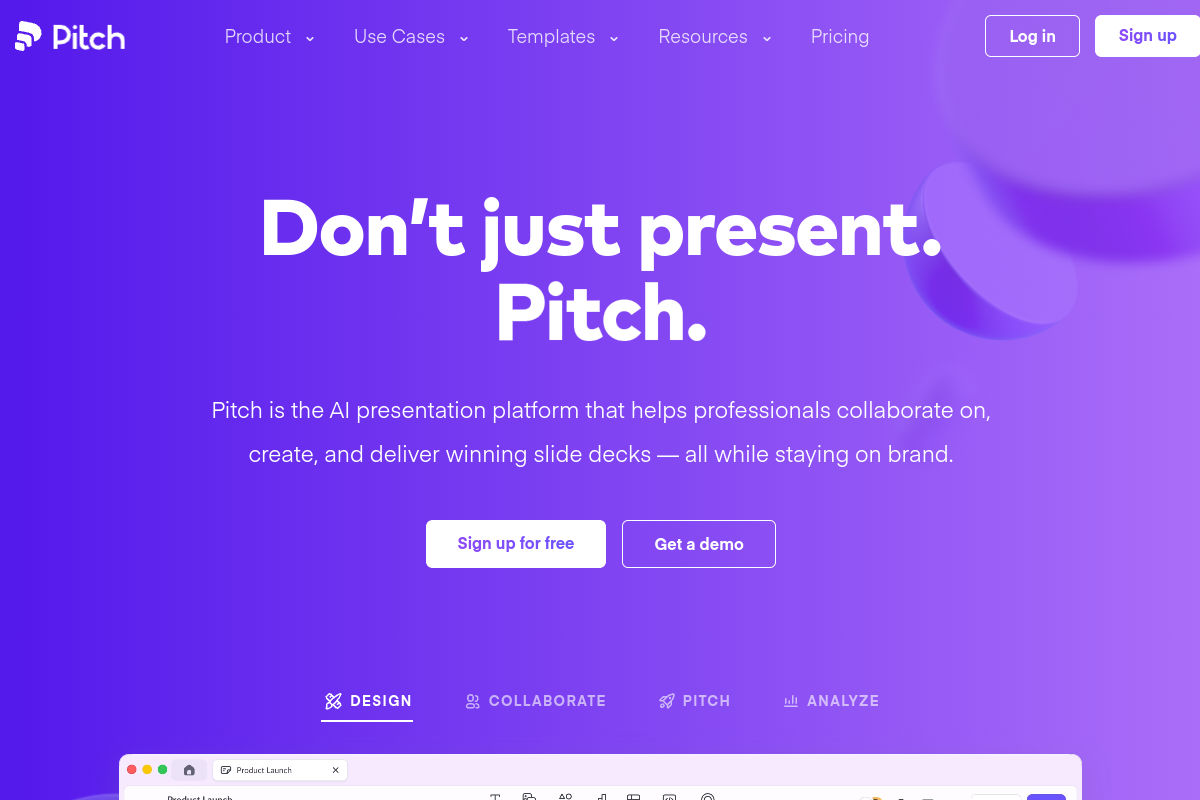
Pitch is built for teams: shared templates, brand controls, collaboration and analytics on who viewed your deck. Its AI assistant helps with structure and writing rather than taking over the whole deck.
What I liked: for a startup or sales team that sends the same kinds of decks every week, Pitch’s templates and collaboration save more time than any single AI feature. The free plan is usable for small teams.
The honest limit: the AI generation is moderate — Pitch is a team workspace with AI help, not an AI deck generator. Solo users will get more from Gamma.
Pricing: free plan available; Plus from $10/month per user paying yearly.
Best for: startups and sales teams that collaborate on decks and track views.
7. Microsoft Copilot for PowerPoint — Best If You Already Pay for Microsoft 365

If you pay for Microsoft 365, Copilot is already in your PowerPoint. It drafts slides from a prompt or a Word document, rewrites and reformats existing decks, and works with your files where they already live.
What I liked: zero new subscriptions, zero new apps, zero export problems — the deck never leaves PowerPoint. For companies standardised on Microsoft 365, trying Copilot first costs nothing extra.
The honest limit: it is only worth it if you already pay for Microsoft 365. Buying the subscription just for Copilot makes no sense when Gamma’s free plan does more for less.
Pricing: included with Microsoft 365 Personal at $99.99/year.
Best for: Microsoft 365 subscribers who want AI inside the PowerPoint they already use.
8. Gemini in Google Slides — Best for Google Workspace Users

Gemini is Google’s equivalent: AI inside Google Slides that generates slides from a prompt and can reference files from your Drive. If your work lives in Google Drive, this is the natural choice.
What I liked: it reads your own documents — a brief, a report, a sheet — and turns them into slides without copy-pasting. The integration with Drive is the whole point, and it works.
The honest limit: like Copilot, it only makes sense inside a subscription you already pay for. As a standalone purchase, it is the weakest value on this list.
Pricing: included with Google AI Pro at $19.99/month.
Best for: Google Workspace users whose files already live in Drive.
Lifetime Deals Worth a Look
Most of the best AI presentation tools are subscriptions — there is no lifetime deal for Gamma or Beautiful.ai. But AppSumo has three presentation-adjacent lifetime deals that are worth knowing about if you present often. Prices below are the deal-page prices — verify them live before buying, because AppSumo deals sell out and prices move. The best AI tools to create PPT decks are all subscriptions, which is why the lifetime deals below are adjacent tools, not replacements.
Graphue — Presentation Templates, $49 Once

Graphue is a library of presentation and pitch-deck templates for PowerPoint, Keynote and Google Slides — over 125 templates, in one purchase. It does not generate slides with AI, but it removes the blank-page problem for anyone who builds decks by hand. Rated 4.71/5 from 76 reviews on AppSumo.
Best for: anyone who builds decks manually and wants professional templates without a subscription.
PresEngage — AI Co-Presenter, $69 Once

PresEngage adds an AI co-presenter to your deck: it fields live audience Q&A during the presentation, with no app for the audience to install. It is a companion for your slides, not a slide maker. Rated 5.0/5 from 2 reviews on AppSumo — a small sample, so treat the rating as indicative, not proven.
Best for: trainers, educators and webinar hosts who take live questions.
AutoScaled (SlideFill) — Personalised Sales Decks from a Spreadsheet, $49 Once

AutoScaled generates personalised sales decks, proposals and reports from spreadsheet data. If you send the same pitch to fifty prospects with different numbers in each, this automates the boring part. Rated 4.75/5 from 12 reviews on AppSumo.
Best for: sales teams and agencies that personalise decks at volume.
One Tool to Skip in 2026: Tome
Tome appears on almost every “best AI presentation tools 2026” list, including several updated in the last few weeks. Do not buy it for presentations. Tome announced in March 2025 that it was sunsetting its presentation product to focus on an AI sales assistant, and the presentation product shut down on 30 April 2025. Any roundup still recommending Tome as a presentation maker is working from an old list. If you liked Tome’s storytelling style, Gamma is the closest current alternative.
What the Best AI Presentation Makers Actually Do
The best AI presentation makers do one job: turn an idea into slides. You give the tool a topic, and the AI presentation generator drafts the outline, writes the text and lays out the slides. Some tools use AI to create a presentation from a document you upload — paste a report, get a deck. A good presentation outline comes first — the tool should draft the outline before it designs a single slide. The best AI presentation makers in 2026 do it in under a minute — but speed is not the test. The test is whether the deck it makes is one you would actually present. An AI engine drafts; a presentation designer decides. The best tools keep both jobs separate: the AI outputs a first draft, and you refine it into a deck that sounds like you.
The difference between the tools is where the slides live. Native PowerPoint tools work inside PowerPoint itself — Plus AI is the one on this page that does it, and Microsoft Copilot does the same if you already pay for Microsoft 365. A PowerPoint add-in keeps your slides as real PowerPoint objects, so you can edit in PowerPoint afterwards without rebuilding anything. The result is editable PowerPoint slides, not pictures of slides. Gamma and Canva work the other way: they build the deck in their own editor, then export it. Canva to PowerPoint export works, but the slides come out as images and shapes, not editable text — Canva’s AI is best when the deck stays in Canva. Canva AI and Gamma cover different halves of the job: Canva AI does the visuals, Gamma does the structure. Canva and Gamma are the two most popular AI presentation tools on this page for a reason: they are fast, and the first draft usually looks good. The AI features worth paying for are the ones that save you an hour: outline drafting, image generation and speaker notes. AI slides from Gamma or Canva look polished on first view — the test is whether they survive the export.
The best AI PowerPoint generator is the one whose file opens cleanly in PowerPoint. An AI PowerPoint tool is only useful if the file it makes is a real one. AI slides look good on screen, but the test is the export: a real PPTX file you can open, edit and present anywhere. PPTX export quality is where cheap tools fail — text turns into images, fonts change, and the deck falls apart on a second machine. Check the PPTX and PDF export before you pay: a tool that exports a clean PPTX and a clean PDF is worth more than one with a hundred templates. A PowerPoint template is only useful if the AI can fill it without breaking the layout — and you can customize the colours and fonts afterwards. Presentation quality is what you judge after the export, not before it. Every AI presentation maker on this page handles templates differently, so test it with your own content before you commit.
The last check is the detail work. Speaker notes are the feature most tools skip — the best tools write them for every slide, and the worst leave you to write them yourself. Speaker notes matter more than the design: they are what you actually say. AI capabilities vary more than the marketing suggests — test the tool on your own topic before you trust it. AI image generation is the second detail to check — Gamma and Canva both generate images inside the deck, while the others leave you to find your own. Presentation design is the third: the best presentation maker is the one whose default layouts you do not have to fix. Traditional slides are still the standard — a deck that looks like a deck, not a website. Presentation type matters too: a sales deck, a lesson and a pitch need different layouts, and the tool should know which one you are making. And check the collaboration tools: if two people edit the same deck, the tool should keep both versions in sync. An AI agent that drafts the outline is useful; one that also writes the speaker notes is better. The right tool is the one that does the boring parts — outline, notes, layout — and leaves the thinking to you. If a slide has too much text, no template saves it.
How to Choose in One Pass
- Your deck must end up as a .pptx file: Plus AI, or Beautiful.ai for the cleanest export.
- You want the fastest first draft: Gamma.
- You present from the same brand every week: Beautiful.ai.
- You already pay for Canva Pro: Canva Magic Design — it costs nothing extra.
- You are a student on Google Slides: SlidesAI, free.
- Your team collaborates on decks: Pitch.
- You already pay for Microsoft 365 or Google Workspace: Copilot or Gemini — try the one you already own before buying anything.
- You build decks by hand and want templates forever: Graphue, $49 once.
Free Trials and Exports: What to Check Before You Pay
Start with the free tier, not the price page. The free tier on most tools here covers a real deck — a few slides, a watermark, or a limit on exports. A limited free tier is still useful if it lets you test the PPTX export with a real deck: export it, open it in PowerPoint, and check that the text is still text. Free users get the same first draft as paying users on most tools here — the paid plan buys more decks, more exports and no watermark. The frequently asked questions about AI presentation tools boil down to three: does it export a real file, does it cover a real deck, and does it keep your slides editable?
Presentation software used to mean PowerPoint or nothing — now the choice is which AI does the drafting. A presentation with AI inside is only as good as its export. Plus AI offers a 7-day free trial with 1,000 AI credits — enough to test a real deck before you pay. ChatGPT is the free way to test the idea: ask ChatGPT to draft the outline, then paste it into the tool you pick. The free tier tells you whether the tool fits your work; the trial tells you whether the export survives PowerPoint.
Before You Buy
- Check the export before you commit. Generate a test deck, export it to PowerPoint, and open it on the machine you will present from. Layout shifts are the most common disappointment with AI deck tools.
- Read the AI’s content before you present it. AI decks invent facts, dates and numbers with total confidence. Every claim in your deck is your claim once you present it.
- Count the real yearly cost. A $12/month tool is $144 a year; a $49 lifetime template library pays for itself in five months against a single subscription. But a lifetime deal for a tool you never open is still $49 wasted.
- Free plans are real tests. Gamma, SlidesAI, Pitch and Canva all let you build a real deck before paying. Use that — a tool that feels wrong on your first real deck will not feel better after you pay.
FAQ: Best AI Tools to Create PPT
What is the best AI tool to create a PPT?
Gamma is the best all-round pick for most people: it is the fastest from prompt to finished deck and has a usable free plan. If the final file must be an editable PowerPoint, Plus AI is the better pick because it works inside PowerPoint itself.
Is there a free AI presentation maker?
Yes. Gamma, SlidesAI, Pitch and Canva all have free plans that build real decks. SlidesAI is the simplest free start for Google Slides users; Gamma’s free plan gives you 400 credits at signup.
Can AI make a PowerPoint presentation from a document?
Yes. Gamma, Plus AI, Copilot and Gemini all accept documents — a brief, a report or a Word file — and turn them into slides. Always check the facts afterwards: AI decks can invent numbers.
Is Tome still a good AI presentation tool?
No — not any more. Tome shut down its presentation product on 30 April 2025 and pivoted to an AI sales assistant. Gamma is the closest current alternative for Tome’s style of deck.
Which AI presentation tool is best for business?
Beautiful.ai, for teams that need every deck on-brand with clean PowerPoint export. For a solo founder or consultant, Gamma is faster and cheaper.
Are there lifetime deals for AI presentation tools?
Not for the main AI generators — Gamma, Beautiful.ai and Plus AI are all subscriptions. The lifetime options are adjacent: Graphue templates ($49 once), PresEngage live Q&A ($69 once) and AutoScaled personalised decks ($49 once), all on AppSumo.
Do AI presentation tools replace PowerPoint?
No. They replace the blank page, not the presentation. The best workflow is AI for the first draft, then a human for the message, the facts and the final polish.
What is the best free AI presentation maker?
SlidesAI, for Google Slides users — it starts free and makes a usable deck from a prompt. Gamma also starts free and suits you better if you want a designed deck rather than a Google Slides file. Test both on the same topic before you pick one.
Can ChatGPT make a PowerPoint?
Yes, with help. ChatGPT drafts the outline and the words, but it does not build the deck — paste its outline into Gamma, Plus AI or SlidesAI and the tool turns it into slides. If you want a file you can present, you still need a presentation maker for the last step.
Can AI tools generate charts from data?
Some can — the tools that read a spreadsheet do the same for sales data. If charts are the job, test the tool on your own numbers before you pay: a chart that looks right and says the wrong thing is worse than no chart.
How much do AI presentation tools cost?
Most start free and charge monthly after that — the lifetime deals on this page are $49 to $69 once. Check the PPTX export before you pay: a tool that exports a clean file is worth more than one with a hundred templates.
Verdict
AI presentation tools are genuinely useful in November 2026 — the first draft problem is solved. Gamma is the pick for most people, Plus AI is the pick when the file must stay a real PowerPoint, and Beautiful.ai is the pick when brand consistency matters more than speed. The one thing none of them do is the thinking: the message, the facts and the story are still yours. Use the free plans, export a test deck, and pick the tool that fits how you already work — not the one with the longest feature list.


